October 12, 2025
Geometry Dash is a popular music and jumping game on online platforms and downloads. It was developed and released by RobTop in 2013. This game has been updated with levels of increasing difficulty and attracts players. From that love, games based on the original have been created by fans with many new and interesting features and content to satisfy their creativity. So, is it difficult to make a new game like this? This question is very popular and is searched for by many people. Follow our article below to answer this question.
Scratch coding allows you to create your personal version of Geometry Dash quite easily without being an expert programmer. The step-by-step guide provided below will lead you through the entire process of creating a Geometry Dash clone on Scratch that includes jumping mechanics, obstacles, and a restart system. In the end, you will get a nice game that not only seems but also feels like the original!
Geometry Dash is an engaging 2D platformer game that challenges players to control a character through a series of geometric obstacles. The game can be played using simple controls: when you hit the spacebar ( or click/ tap), the character jumps and thus avoids spikes or blocks. However, the rule is that if you make one tiny mistake, the level will restart from the beginning!
The straightforwardness of the game makes it easy and convenient for the developer of Scratch to recreate a game, while at the same time learning the basic concepts of game design.
If you want to learn more about this game, see more here: What's Geometry Dash Lite Game?
Just follow the steps below to create your own Scratch Geometry Dash clone:
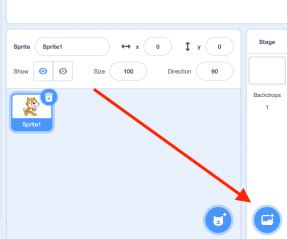 Set up your project
Tip: Play around with the values to reach a smooth jump and fine-tune the height.
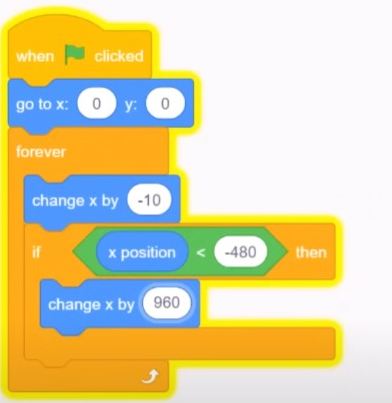
Player movement to be added
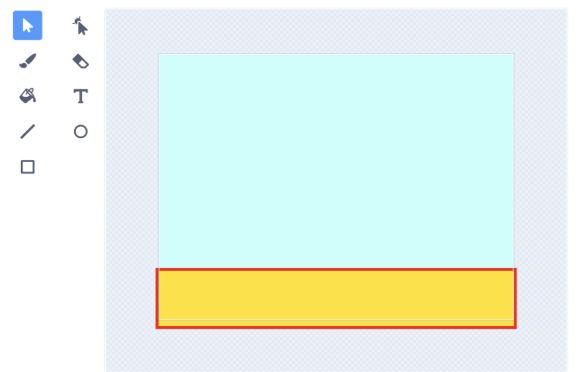
Ground to be created
Pro Tip: Create more spikes for extra challenge by duplicating the obstacle sprite.
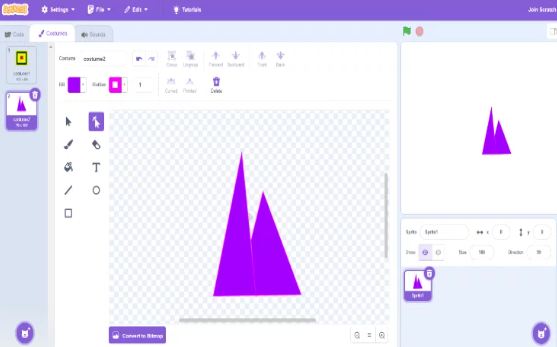
Introduction of Obstacles
This is a reflection of Geometry Dash’s instant restart when you hit a spike!
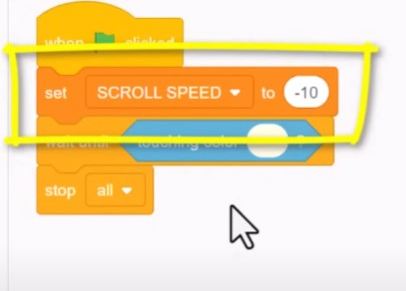
Scroll speed
One of the characteristics of Geometry Dash is its lively and energetic soundtrack. So, add music in Scratch by:
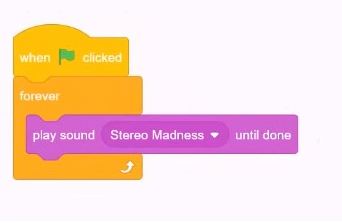
Averting a background song
The game has a start and a finish now!
December 08, 2025
Geometry Dash is undoubtedly one of the most iconic rhythm-based platformer games in gaming history. The combination of fast-paced action, catchy EDM
November 23, 2025
Geometry Dash is undoubtedly among the top addictive platform-based rhythm games all over creation. The gamers are very much wondering which of the best ways to be proficient
November 16, 2025
Geometry Dash Unblocked is a web-based version of the renowned rhythm game that takes away all the restrictions imposed on the use of school or office Wi-Fi.
December 24, 2024
Geometry Dash Lite is a free version of the original Geometry Dash game, designed to offer a taste of the thrilling gameplay without any cost. Despite being a "lite" version, it includes a wide variety of levels, each with its unique soundtrack and challenges.

October 01, 2025
Update 2.21 is the latest update of Geometry Dash after update 2.2. In this version, the features and icons that you have seen in version 2.2 will be completed.
December 01, 2025
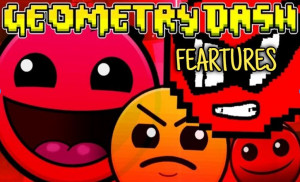
Geometry Dash is not only a rhythm-based platformer; it is a global gaming phenomenon. No matter if you are a novice or a professional jumper, knowing the top features of Geometry Dash can turn you into a master
December 28, 2025
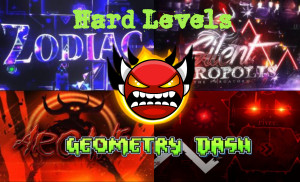
Geometry Dash is still dominating the rhythm-platformer world in 2025, and the community has pushed difficulty far beyond what we thought was humanly possible.




